Image Translate to Hindi — Translate Text From Photo
Upload your image and let Image Translate AI translate it
Image Translate to Hindi: Before and After
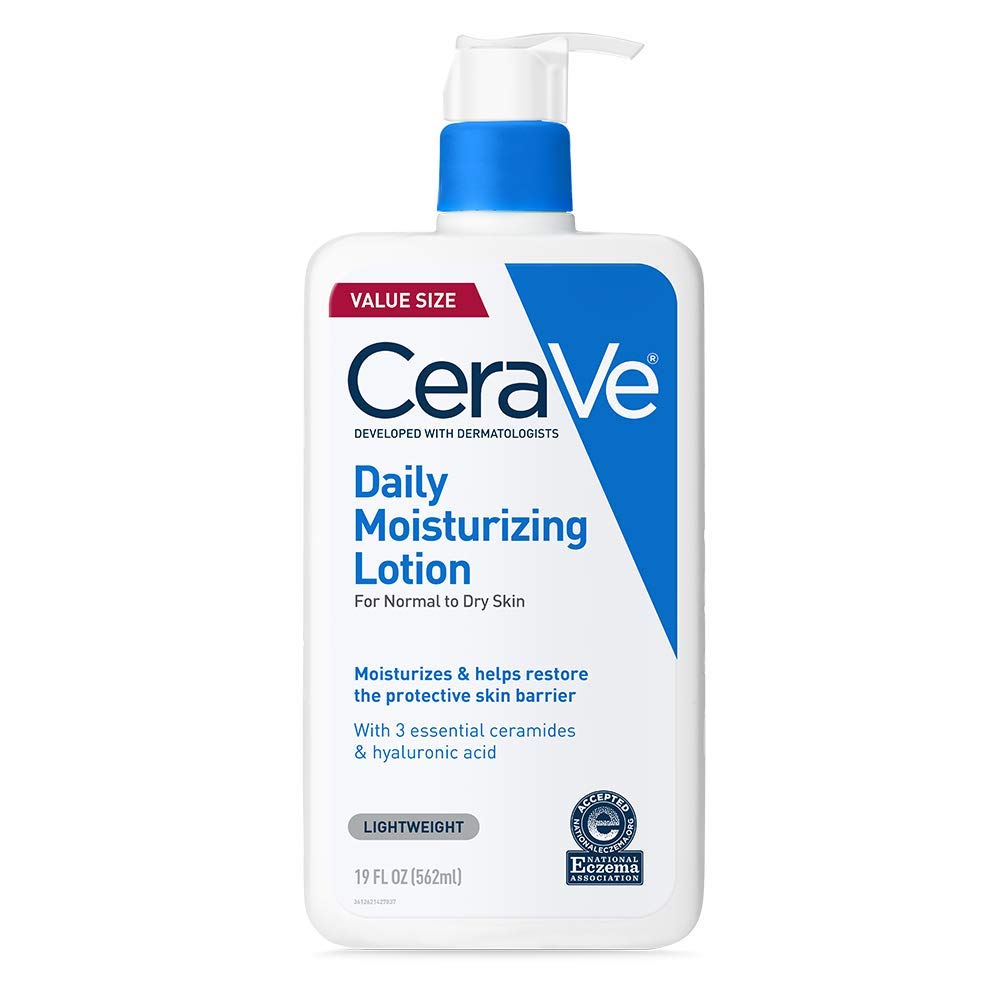
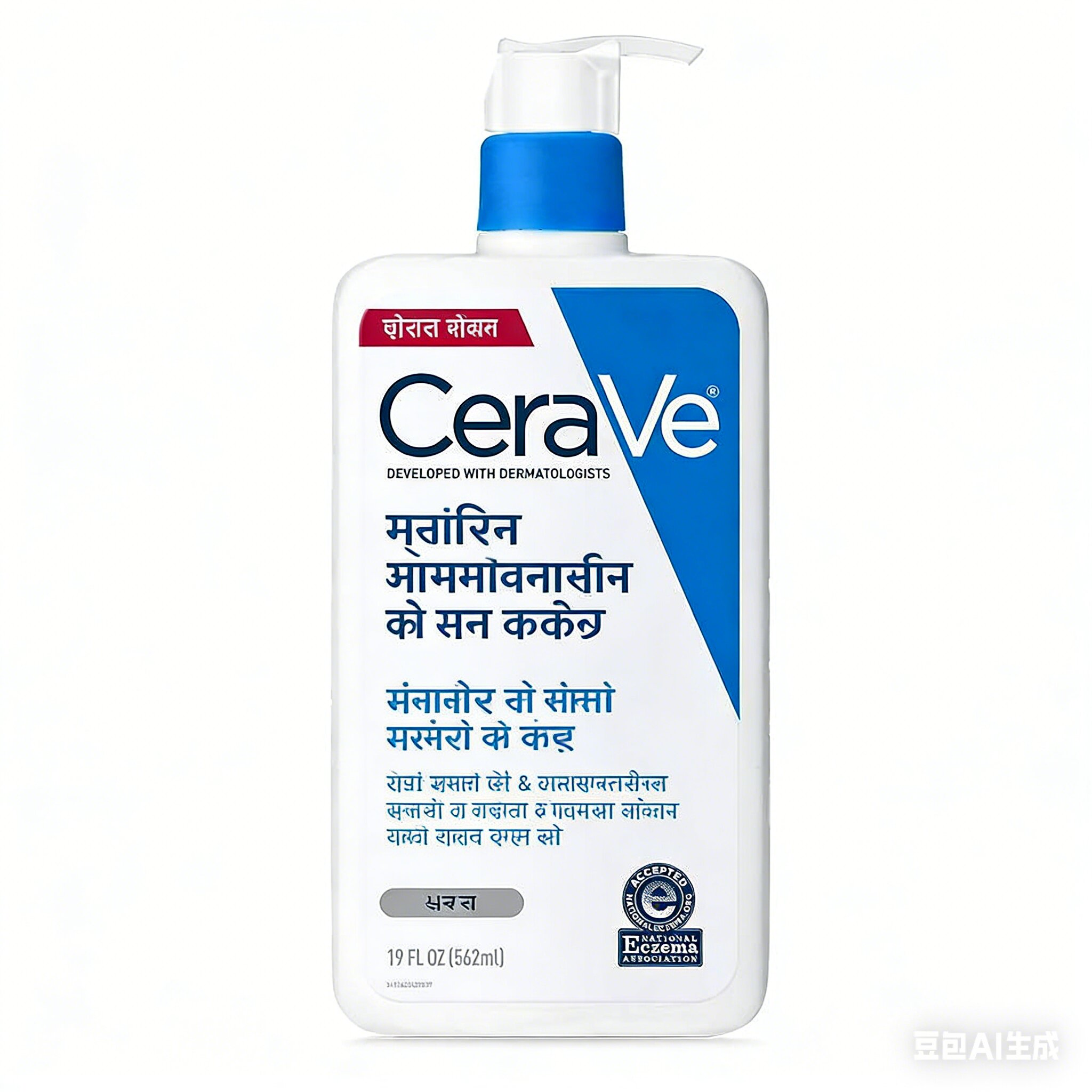
How Image Translate to Hindi Works
Upload a photo, scan, or screenshot
Bring in JPG, PNG, WebP, or a direct image URL. Image Translate to Hindi is built for real-world visuals—store signage, packaging, slides, menus, certificates, and social creatives—so you skip manual retyping.
Set languages and optional auto-detect
Pick any supported source language and Hindi as the output, or let Image Translate AI detect the source for you. A clear pair improves Image Translate to Hindi so headlines, prices, and instructions read naturally for local audiences.
Review, refine, and download
Image Translate AI replaces in-image copy while aiming to preserve hierarchy, color, and alignment. When you are satisfied with Image Translate to Hindi, export a file you can publish, print, or share without rebuilding the design from scratch.
Image Translate to Hindi: Common Questions
What is Image Translate to Hindi on this page?
It is an end-to-end workflow: optical character recognition pulls words from your picture, machine translation converts meaning into Hindi, and Image Translate AI redraws the text where it already sits. You get localized visuals instead of a plain text dump, which matters for ads, packaging, and presentations.
Which files work best for Image Translate to Hindi?
Sharp, well-lit images with readable type produce the strongest Image Translate to Hindi results. JPG, JPEG, PNG, WebP, BMP, and TIFF all work, along with typical screenshots and light scans. Very blurry or extremely stylized lettering may need a retake before Image Translate AI can lock onto every character.
Do I need a fixed source language for Image Translate to Hindi?
No. You can explicitly choose the source language or rely on detection when you are unsure. Either path still targets Hindi on output, which keeps Image Translate to Hindi flexible for mixed-language decks, imported packaging, or travel photos.
Does Image Translate to Hindi keep the original design?
Image Translate AI is built to respect layout: font roles, alignment, and color blocks should stay recognizable after translation. That is why teams use Image Translate to Hindi for pitch decks and campaign art instead of re-creating each file by hand.
How long does Image Translate to Hindi usually take?
Most standard images finish in about a minute, though large files or dense typography can add a little time. Image Translate AI balances speed with careful rendering so Image Translate to Hindi stays legible, not rushed.
Can I try Image Translate to Hindi before upgrading?
Yes. Image Translate AI includes a free tier with daily limits so you can validate quality on your own assets. When you need higher volume, batch runs, or team workflows, paid plans add credits without changing the core Image Translate to Hindi experience.
Is Image Translate to Hindi suitable for business or compliance content?
Image Translate AI is tuned for everyday commercial language—marketing lines, product labels, UI screenshots, and training slides. For regulated or legal documents, treat Image Translate to Hindi as a draft and have a qualified reviewer confirm terminology, just as you would with any automated translation.
Can Image Translate AI process many images headed for Hindi?
Paid plans unlock batch processing so you can line up multiple files destined for the same Hindi output. That scales Image Translate to Hindi for catalogs, seasonal swaps, or localization sprints without repeating the same clicks for every asset.